Resource management [2 min read]
"Develop small, run big"
Basic rules to follow
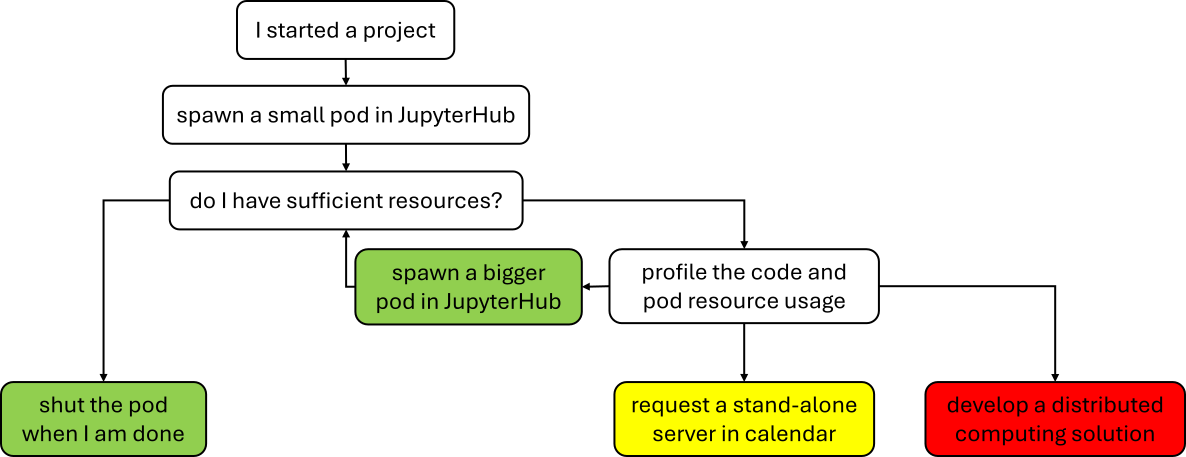
- if you are using helpfull microservice, deploy it as separate pod and share the usage with team, e.g. Carla or SUCCESS6G services
- do EDA(Exploratory Data Analysis), develop, debug, and troubleshoot code on small JupyterHub pod or on your local machine
- run script on larger pod
- if absolutely necessary run the code on standalone server
- if ultra-super-duper-absolutely necessary develop solution using SLURM or SLURM on Kubernetes
Step-by-step
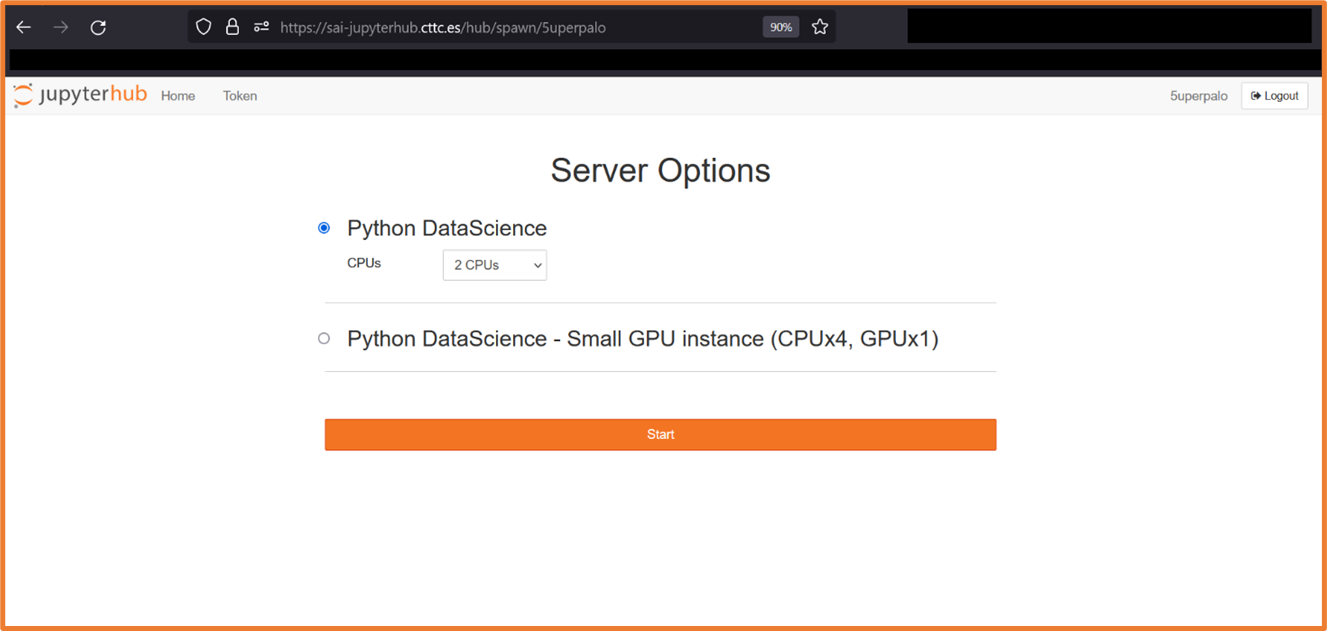
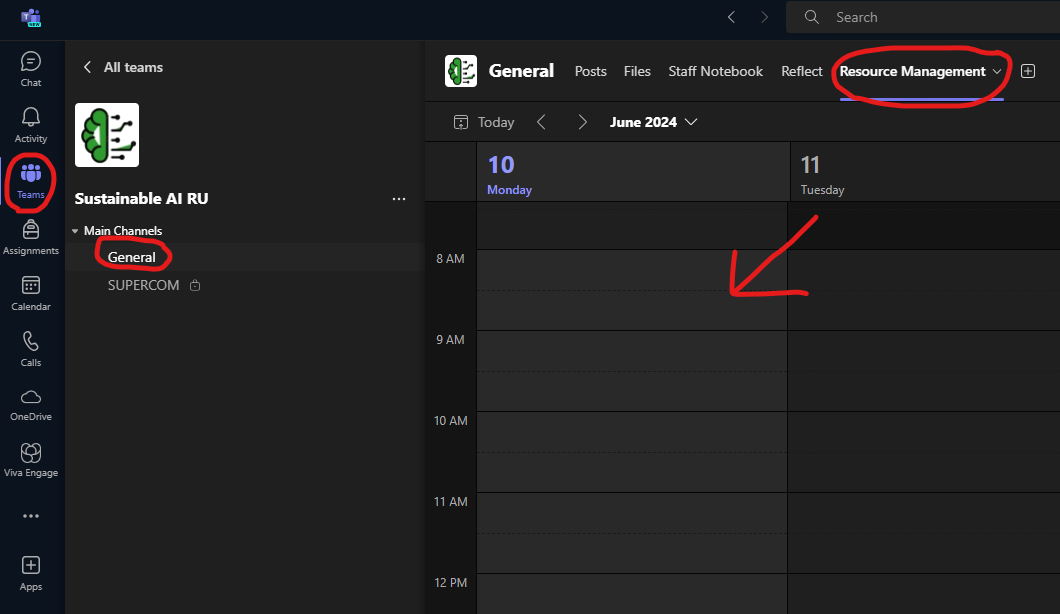
Please follow these simple rules to avoid misuse of the SAI Research Unit computational resources: 1. spawn a small pod that is sufficient to process the data your are using * i.e. depending on the dataset size do a best guess and eventually go bigger 2. profile your code and pod resource usage 3. spawn a larger pod if needed 4. estimate a time and requirements and request a standalone server by putting a note into shared callendar in Teams - MANDATORY * make an ssh message - OPTIONAL (e.g. when you are chasing deadline and cant afford any mishaps) 5. [EXTREME] - develop a solution using multiple machines using SLURM, SLURM on Kubernetes, or other solution; and consult it with team
GPU inside JupyterHub pod
To get the GPU running in a pod install a proper driver:
sudo apt-get update
sudo apt install nvidia-utils-535
For Code Profiling please see code_profiling.md.